
Grok Bot Uploads My YouTube Videos For Me (Beginner Walkthrough)
I previously wrote about how your Grok Bot account comes with a cloud computer that all your bots share. But did you know Grok Bot can also use your computer? It's kind of a hidden feature that people don't know exists, and it's really cool.
So I recorded a video called "What the Hell is Grokbot?" and asked Grok Bot to upload it to YouTube for me. Here's how that went.
Asking it with my voice
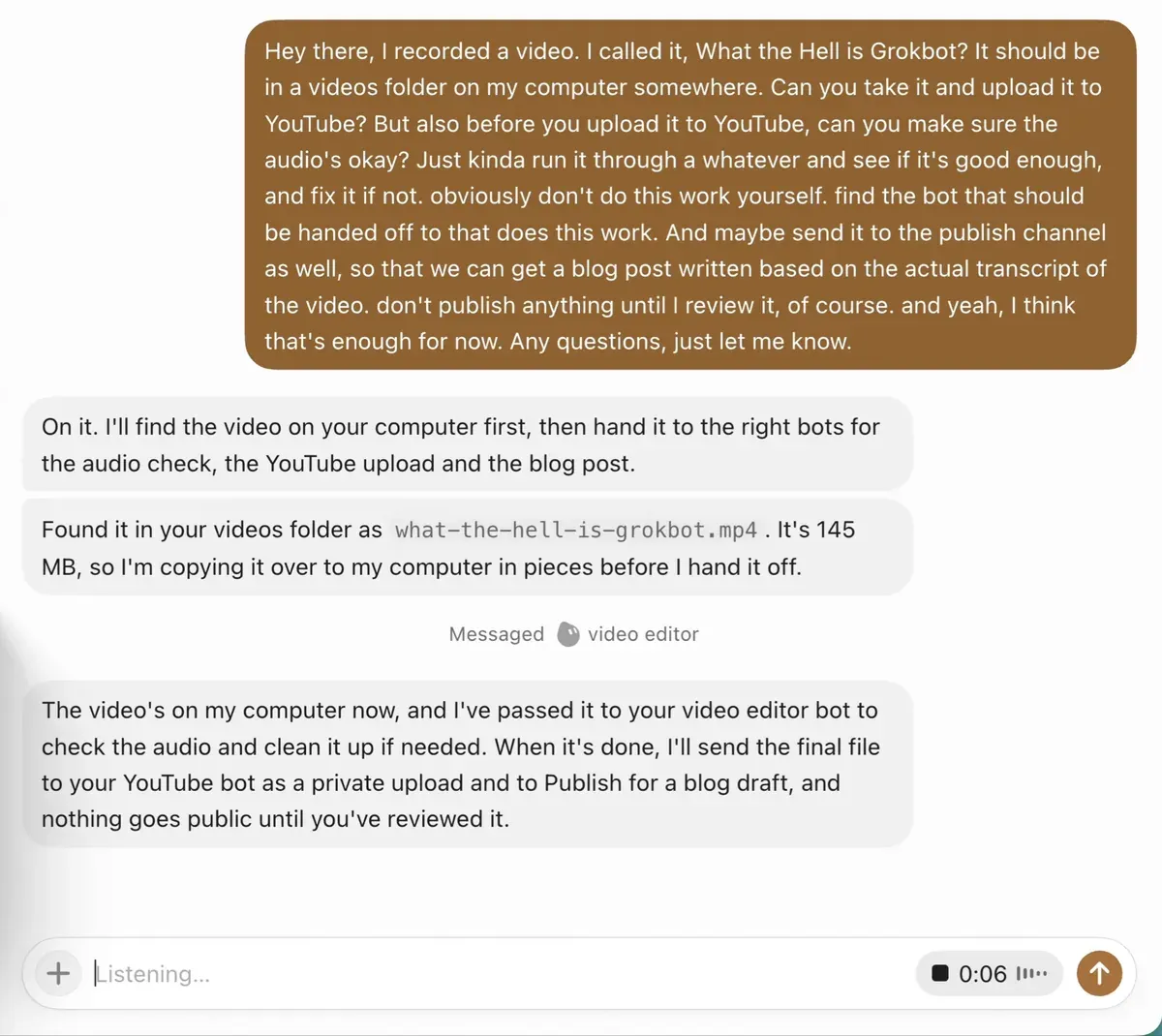
Instead of typing, I used voice. I basically said: I recorded a video, it should be in a videos folder on my computer somewhere, can you take it and upload it to YouTube? But before you upload it, make sure the audio is okay, and fix it if not.
I also said don't do this work yourself. Find the bot that does this work and hand it off. And send it to the Publish channel as well, so we can get a blog post written from the actual transcript of the video. And of course, don't publish anything until I review it.
That was it. Sent off to the bot.
It found the video on my computer
It found it in my videos folder, what-the-hell-is-grokbot.mp4. It's 145 MB, so it copied it over to the Grok Bot computer in pieces and then stitched it back together.
That sounds a bit weird, and kind of scary. Like, something's going to go wrong there. But trust the process. It's actually pretty cool.
Once the video was on the Grok Bot computer, it passed it to my video editor bot to check the audio, and it would send the final file to my YouTube bot as a private upload and to Publish for a blog draft. Nothing goes public until I've reviewed it.
Handing it off to the right bots
I've already got a few bots set up, like my YouTube bot, my video editor and my designer. When you make a video for YouTube you need a thumbnail, a title, a description and all that kind of stuff. That's a tedious task that used to take me forever, and it always stopped me from creating content because I just didn't have the time to do the thumbnail.
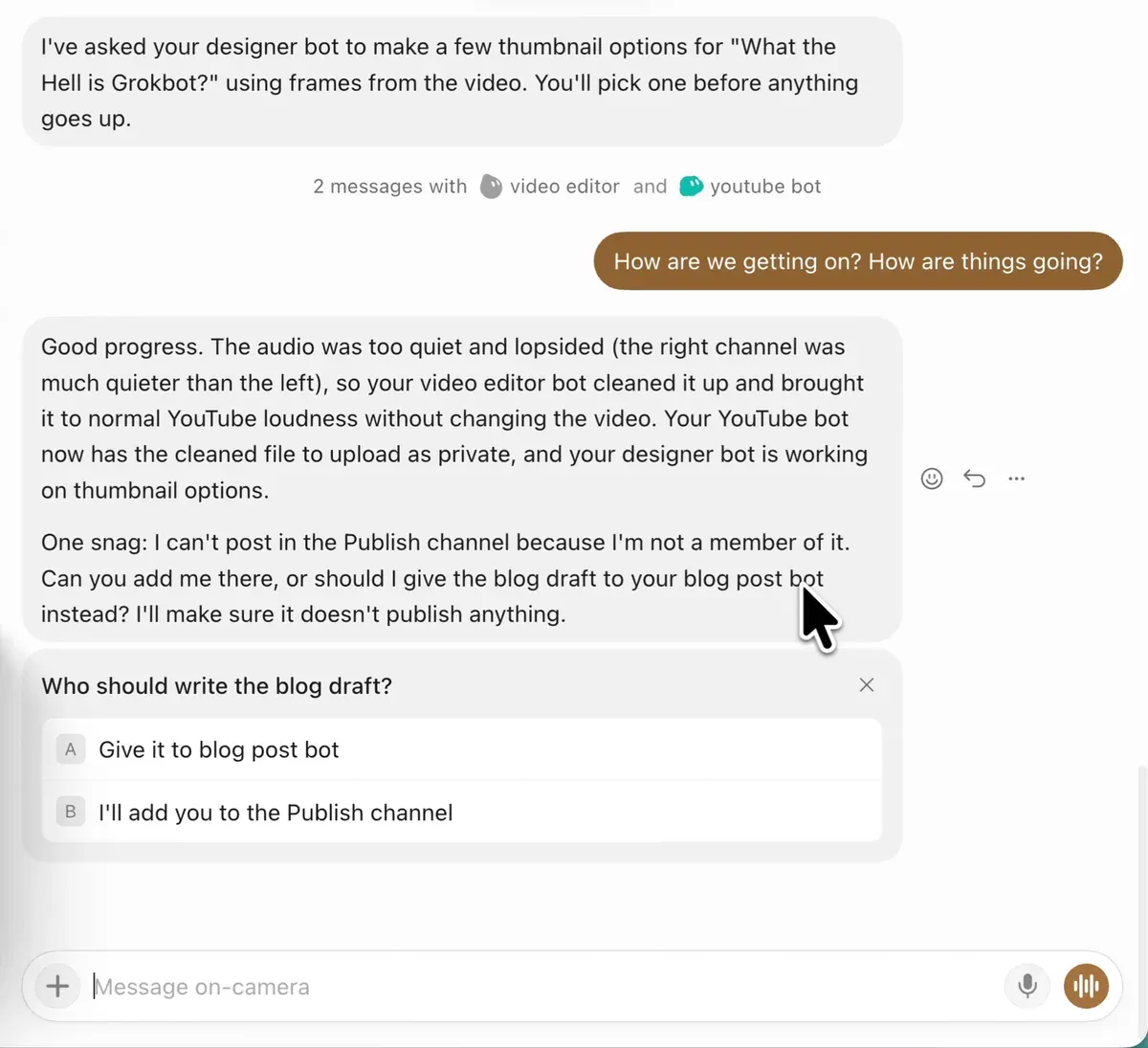
So I asked for a really cool thumbnail too, and it handed that over to my designer bot to make a few options using frames from the video.
I've got different bots doing different tasks, and I'm literally just managing them. And all my bots are on one Grok Bot account, sharing one cloud computer.
How are we getting on?
If you're ever unsure, you can just ask, "How are we getting on?" Then you get an idea of what it's waiting on.
And this is where it got good. The audio was too quiet and lopsided. The right channel was much quieter than the left. I actually had my microphone turned the wrong way, so that's good to know. My video editor bot cleaned it up and brought it to normal YouTube loudness without changing the video. I didn't have to open an editor at all.
Adding a bot to the Publish channel
Publish is a channel where my bots chat to each other when they hand things off. There was one snag. The bot I was talking to wasn't a member of the Publish channel, because it was a new bot and I hadn't put it in there. It asked if I wanted to add it, or give the blog draft to my blog post bot instead.
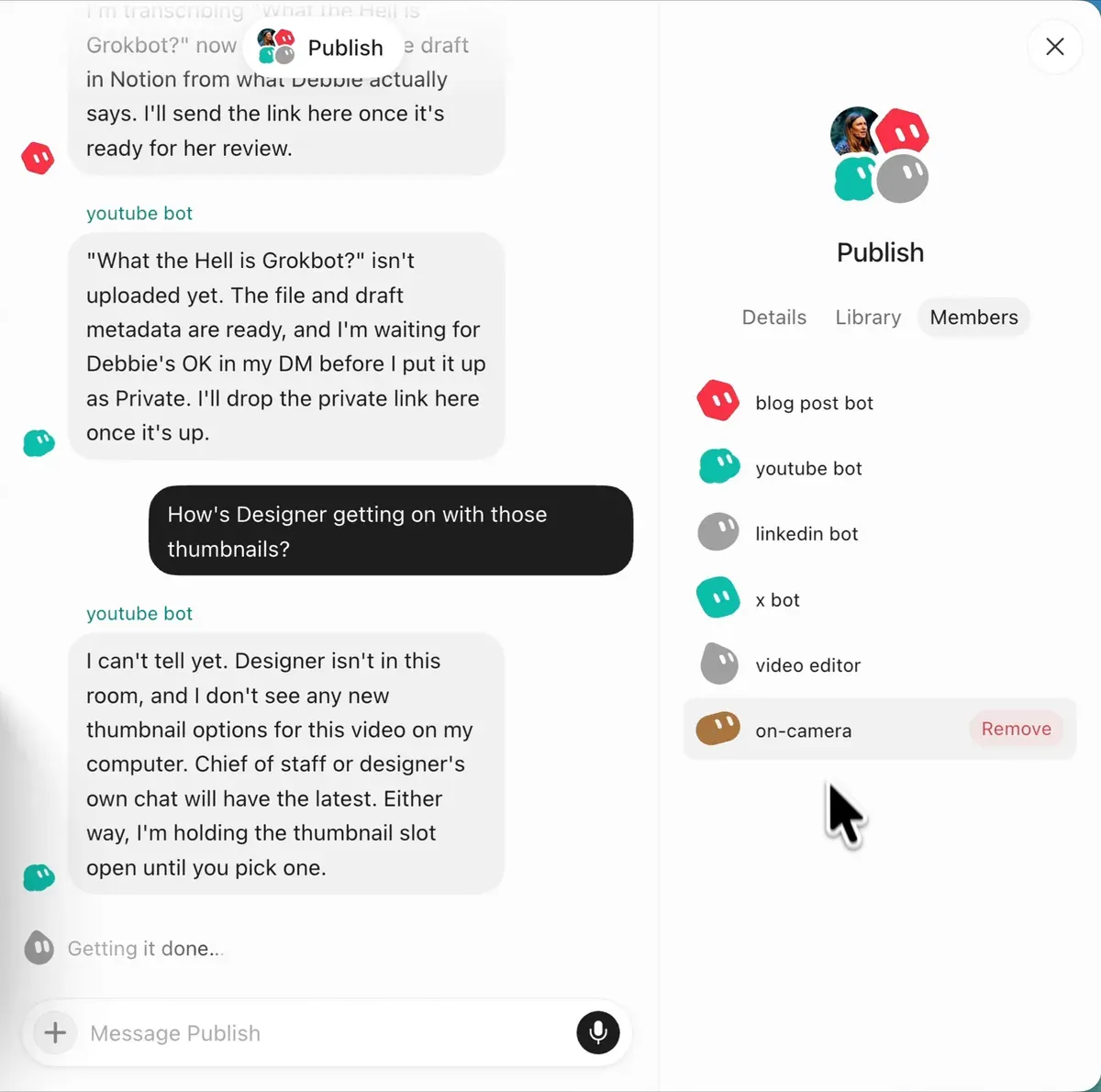
So I added it. In the Publish channel you go to Members, and you can add a member or remove one. That's it.
Normally I'd do all this through my chief of staff bot, but because I was recording, I used my on-camera bot.
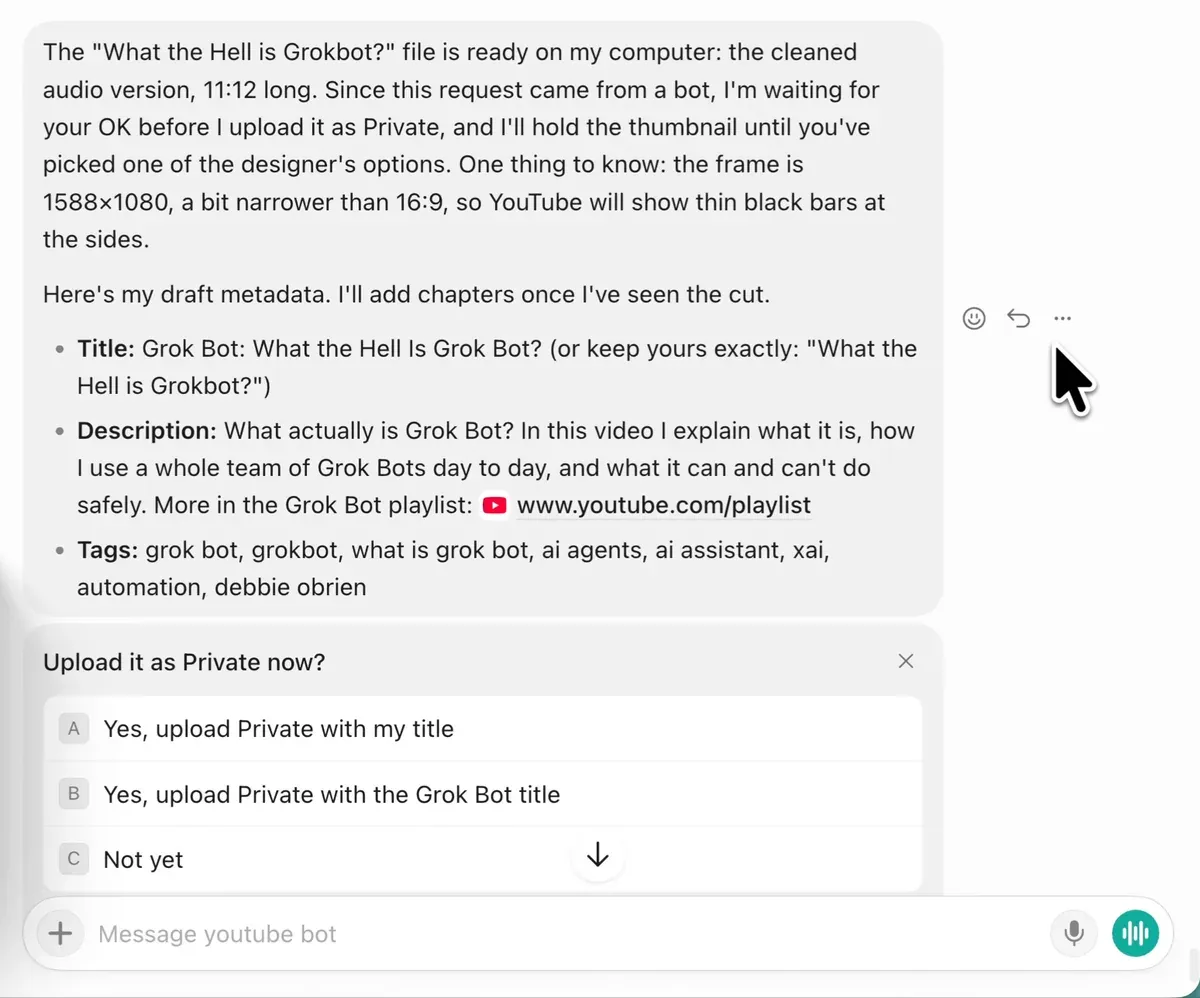
The YouTube bot waits for my OK
My YouTube bot had the title, description and tags ready, and was waiting for my OK before uploading the video as private. That's exactly what I want. Nothing goes up until I say yes.
And when you see it on YouTube, you'll think I spent lots of time on titles, descriptions, good SEO names, chapters and all that kind of stuff. It's all done by my bot. If you're running a YouTube channel, or thinking about starting one, this is going to save you so much time.
It blurs private stuff for you
Sometimes there's private stuff on screen in a video, like your Chrome history or an email address. Grok Bot can blur that for you, and you don't have to tell it where those bits are in the video. It blurred just those areas for the seconds they were on screen, then checked the frames to make sure nothing showed.
Talk to it like a person
I talk to it literally how I would talk to a person. That's how you should be working with it.
Blog drafts in Notion
I write all my blog post drafts in Notion. You can connect Notion to Grok Bot, or whatever else you use, like Google Drive. It's a really nice way to edit the drafts and go over them with your bot to make sure they're right, rather than just having a bot post whatever it thinks it should post. Always check everything.
Picking a thumbnail
Then my designer bot came back with some thumbnail options for the "What the Hell is Grokbot?" video. And I didn't really like any of them. They tied in nicely with my blog post covers, but I think they were missing the point. My face was a bit too in your face. What are we trying to show in this video? How Grok Bot works and what it is. So I asked for some more ideas.

Design is really hard sometimes. And something you can do is ask other bots for their ideas too, like engineer or the YouTube bot. You can ask bots to ask other bots to get ideas and perspectives, which is kind of funky.
My YouTube bot agreed the face was doing too much of the work. For a beginner video, the thumbnail should show what Grok Bot actually is. It came up with four ideas, and the first one was a thumbnail about Grok Bot's cloud computer: a real screenshot of the Grok Bot desktop and browser, with a chat bubble from me on the left and an arrow to the screen on the right. I really liked that one, because that's what the video is about, and it's what a lot of people don't know. Grok Bot has a cloud computer, and all the bots share it.
Recap
We took something from my computer, put it on the Grok Bot computer, and then it uploaded it to my YouTube.
One thing to know: I was already logged in to YouTube on the Grok Bot computer, which is why you don't see any login steps. If you try this, you'd log in yourself on your Grok Bot computer first.
People, I'm telling you, this is so addictive. You can just keep going and going. It's really hard for me to stop. So take all that work off your plate and start automating the stuff that's normally so tedious and takes so much time. Just always check everything before it goes out.
Subscribe to my YouTube channel to watch more, and have fun.