
Build an Offline AI Study App with Local Models (Liquid AI LFM3-1.7B)

Hey everyone. Today I want to show you how you can use local models, using Liquid AI's LFM3, their latest model.
What local models are
First of all, what does a local model mean? It means a model that is on your device. You download it, and it runs on your device. So you don't need a connection to the internet, you don't need to spend any money because it's free and on your device, and everything stays private. There are a lot of benefits to using local models.
A minimal LFM3 chat in the browser
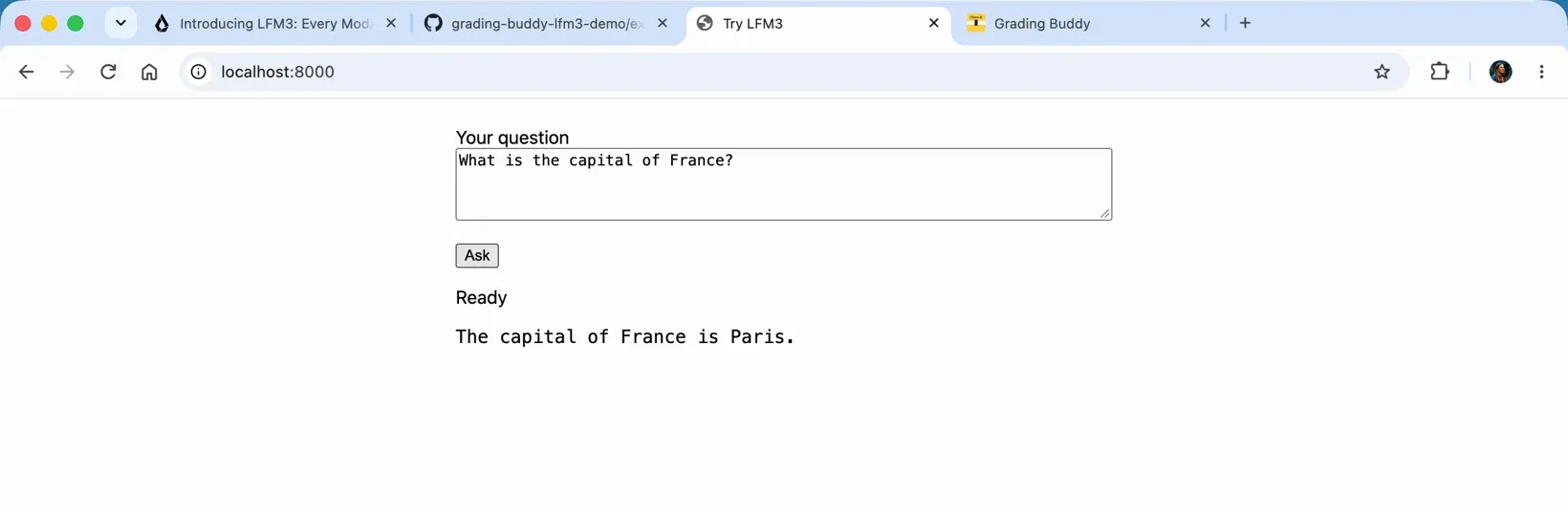
Let me show you a very simple example. I built a very small chat app, about 45 lines of code, just to show how easily you can get started. I'm getting Transformers.js from Hugging Face, then there's my model, and I'm using WebGPU so it runs in the browser. That's basically all you need to build something like this. I told you it was minimal.
Then you ask your question: what is the capital of France? It downloads the model, the model is now running on my device, it's not going to the cloud and it's not costing me any money. The capital of France is Paris. I can change that to Ireland, and I get Dublin, really fast.
The tech, in plain words
Before we go further, here's what's actually going on in that tiny page.
- LFM3-1.7B is Liquid AI's small text model in the LFM3 family. Small enough to run on a laptop, and good at following "answer only from these facts" instructions. I use the ONNX export on Hugging Face, which is the version made to run in a browser. You can read more on the model card and in Liquid's docs.
- Transformers.js is Hugging Face's JavaScript library for running models in the browser. It downloads the model and runs it for you, so you don't need a server.
- WebGPU is the browser API that lets a web page use your computer's graphics card. A model does a lot of maths, and the GPU does it much faster than the CPU. That's why the app needs a desktop browser with WebGPU, like Chrome or Edge.
Loading the model
This is the heart of the minimal page. One import, one pipeline, then you ask it a question:
import { pipeline } from "https://cdn.jsdelivr.net/npm/@huggingface/transformers@4.3.2";

const chat = await pipeline("text-generation", "onnx-community/LFM3-1.7B-ONNX", {
  dtype: "q4f16",
  device: "webgpu",
});

const out = await chat(
  [
    { role: "system", content: "You are a helpful assistant. Answer briefly." },
    { role: "user", content: "What is the capital of France?" },
  ],
  { max_new_tokens: 150, do_sample: false, tokenizer_encode_kwargs: { enable_thinking: false } },
);
q4f16 is a compressed version of the model, which keeps the download to about 1.1 GB. device: "webgpu" runs it on the GPU. enable_thinking: false turns off LFM3's thinking so you get a direct answer. The whole page is in examples/minimal in the repo.
What gets downloaded and cached
The first time you press Download and start, the browser fetches the model files from Hugging Face, about 1.1 GB, just once. Transformers.js keeps them in the browser's cache, and in the full app (more on that below) a service worker caches the app itself. So after that first download it works with no internet at all.
How the app works
The full app wraps the model in a few simple steps:
- Topic match. It picks the grading topic that best fits your question.
- Say no early. If nothing matches, the app tells you it's not part of the grading and doesn't call the model at all.
- Give the model the notes. LFM3 gets that topic's facts and answers in a sentence or two.
- Check the answer. A grounding check (Korean terms, numbers, type of answer) and a required-facts check both have to pass.
- Fall back to the note. If either check fails, you see the note card labelled From the notes instead.
The model runs in a Web Worker so the page doesn't freeze while it thinks. Liquid's own docs say "Use retrieval or search for knowledge-heavy tasks", and that's exactly why the facts come from my notes and not from the model's memory.
Where a small model falls short
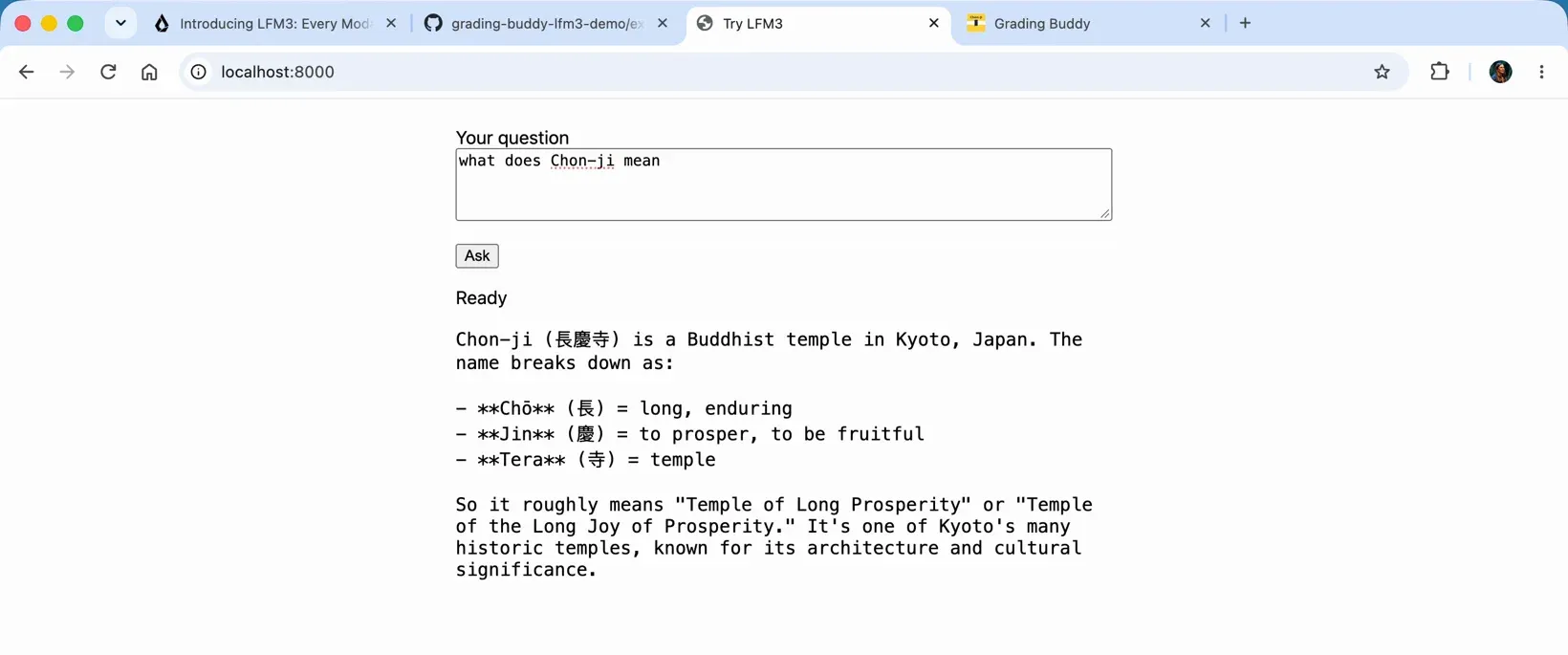
Now, what if I ask what Chon-Ji means? I'm studying for my Taekwon-Do grading, so that's a real question for me. It told me Chon-Ji is a Buddhist temple in Kyoto, Japan. No, it's not. Chon-Ji means heaven and earth.
And when I asked what the tenets of Taekwon-Do are, it didn't give me the answer.
That's the problem with local models. Sometimes they don't have enough knowledge, and you think, right, this is not good enough, I need a bigger model and I'll just pay for it. But no. You can use local models in so many other ways.
Giving the model your own notes
So the minimal version proved the model runs on my device, fast and for free. It just didn't know Taekwon-Do. And that's what I actually needed help with for my grading. So I went and built a proper app around it, called Grading Buddy. It's a study app that only answers from notes I've checked, and tells you when something isn't part of the grading.
I could have fine-tuned the model and shown it more Taekwon-Do. Instead, what I'm doing is giving it a content.json file with extra content about Taekwon-Do. It's the same content I use on the website to show that information. Then the chat part lets students ask their questions about Taekwon-Do and get the correct answers.
Grading Buddy: Ask, answered on device
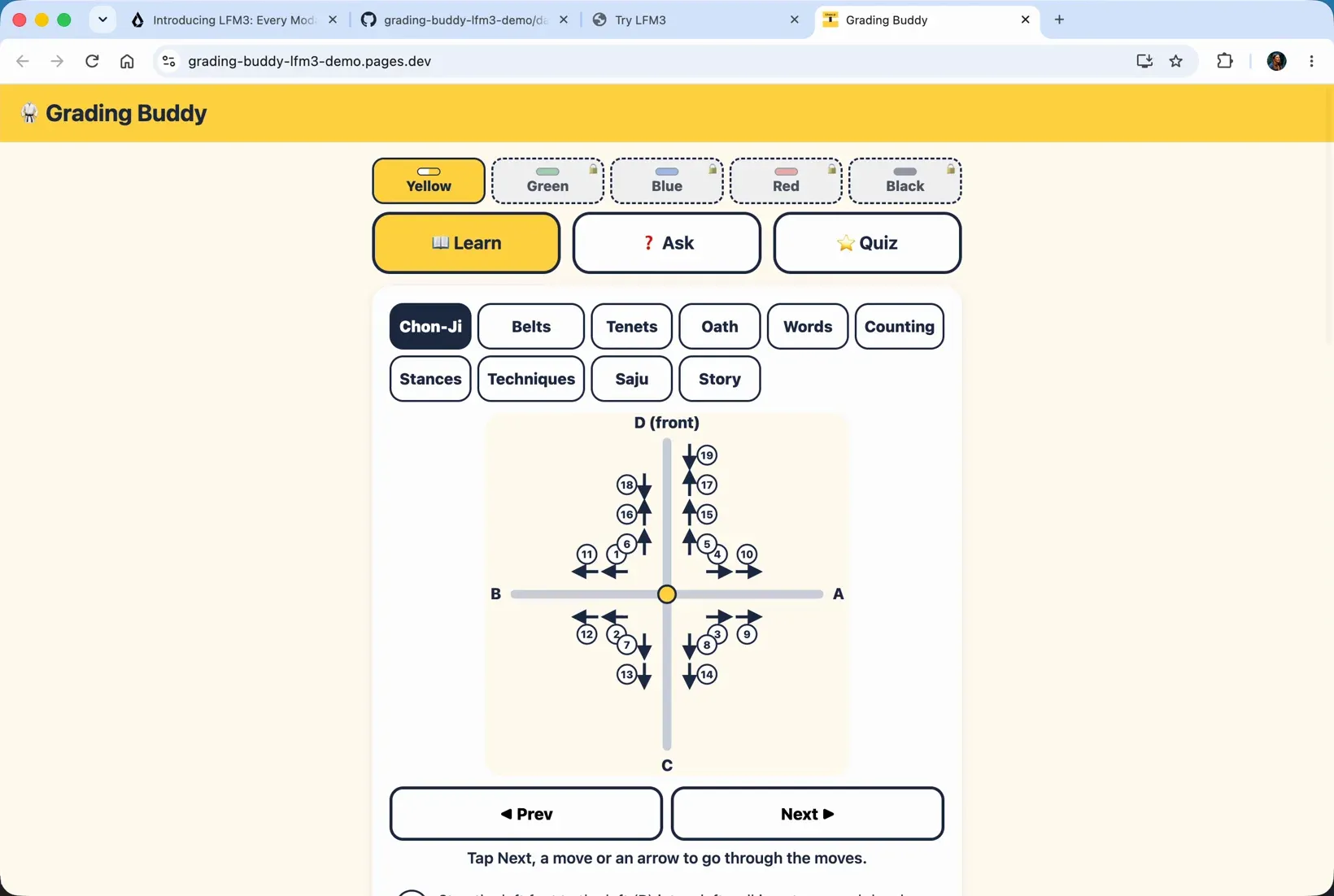
So this is the app, Grading Buddy, with everything about Chon-Ji, the belts, the tenets and the rest. If I ask "what are the five tenets?", I get courtesy, integrity, perseverance, self-control and indomitable spirit. That answer was written by LFM3 on this device.
I can also see how it was answered. That's built in for this demo, and you wouldn't want it in the real app. But you can see the path, that it used the model, how long it took, and the checks it needed to pass to get to that answer.
When an answer check fails
Next I asked how many moves are in Chon-Ji. It thought about it, and then it couldn't answer. So what happened? The panel shows it failed on a missing required fact. So we can look in our notes, the JSON file, and find out why that check failed and which notes are missing. Then, rather than fine-tuning the model, we fine-tune the notes so it can get the answer to that question.
Then I asked how to count to ten in Korean, and that answer came from the model on this device too. And when I asked my first question again, what does Chon-Ji mean, I got heaven and earth, the first pattern you learn.
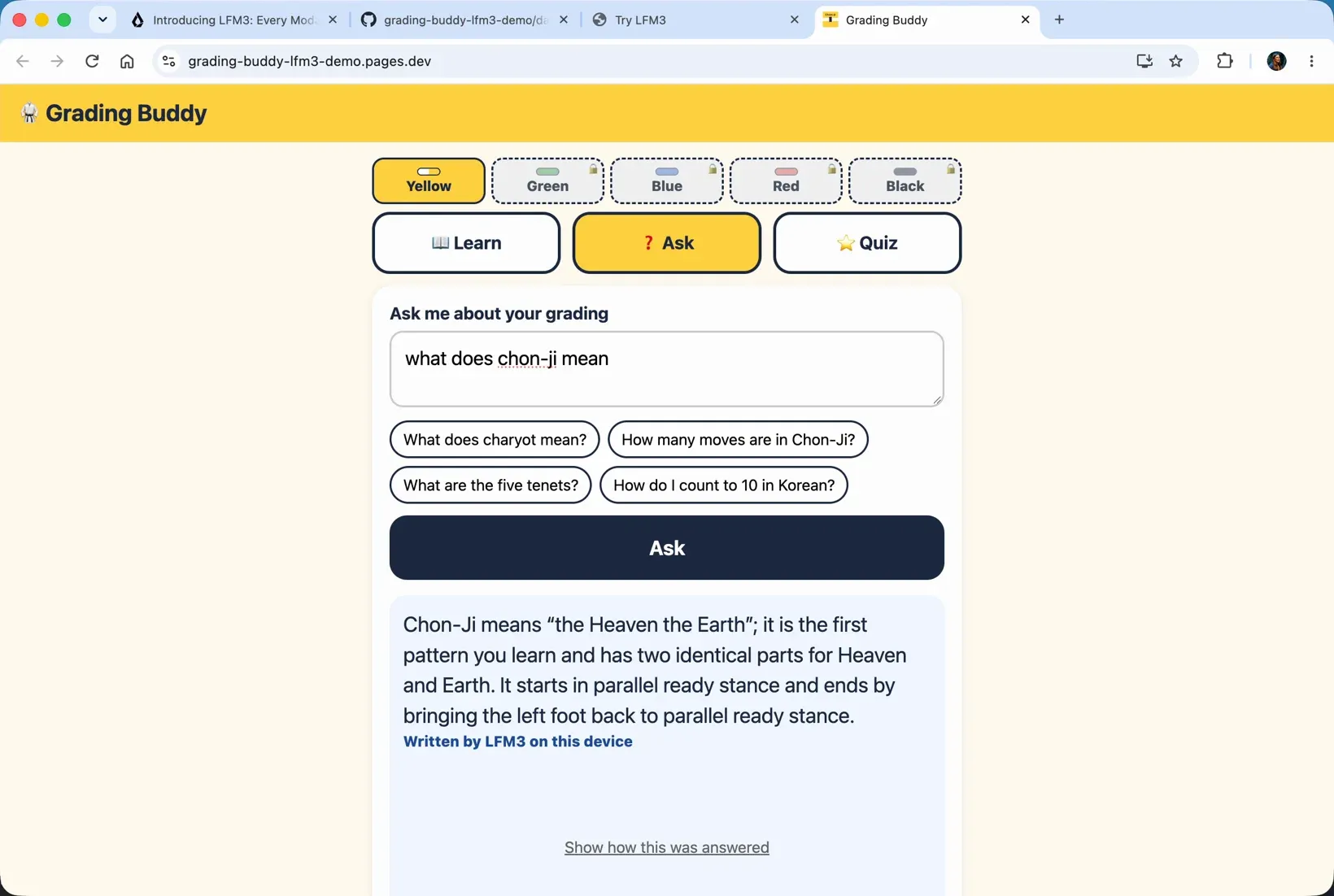
So that's how you can use a local model in your app to do some really fun things. People type their questions and get answers based on the knowledge you give it.
Quiz and Learn why
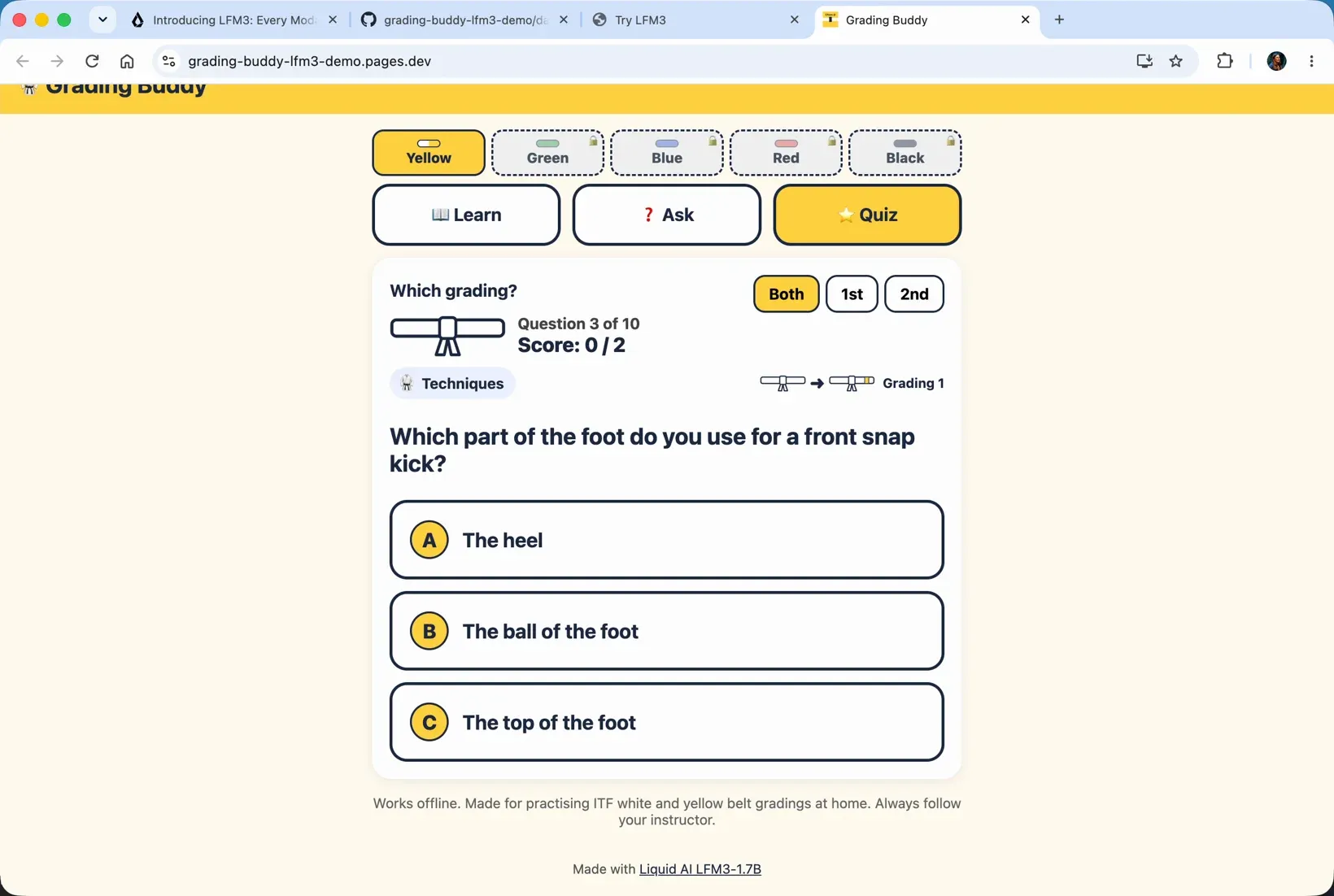
You can do some extra fun things too. In the quiz, one question was which part of the foot you use for a front snap kick. I put the heel, which is totally wrong. It's the ball of the foot. That feedback comes straight from the notes, in simple words. But you can also click Learn why, and the explanation is a little bit nicer: a front snap kick is called apcha busigi, you lift the knee, and it's a strong kick to the front. Just some extra wording in there, and I quite like it.
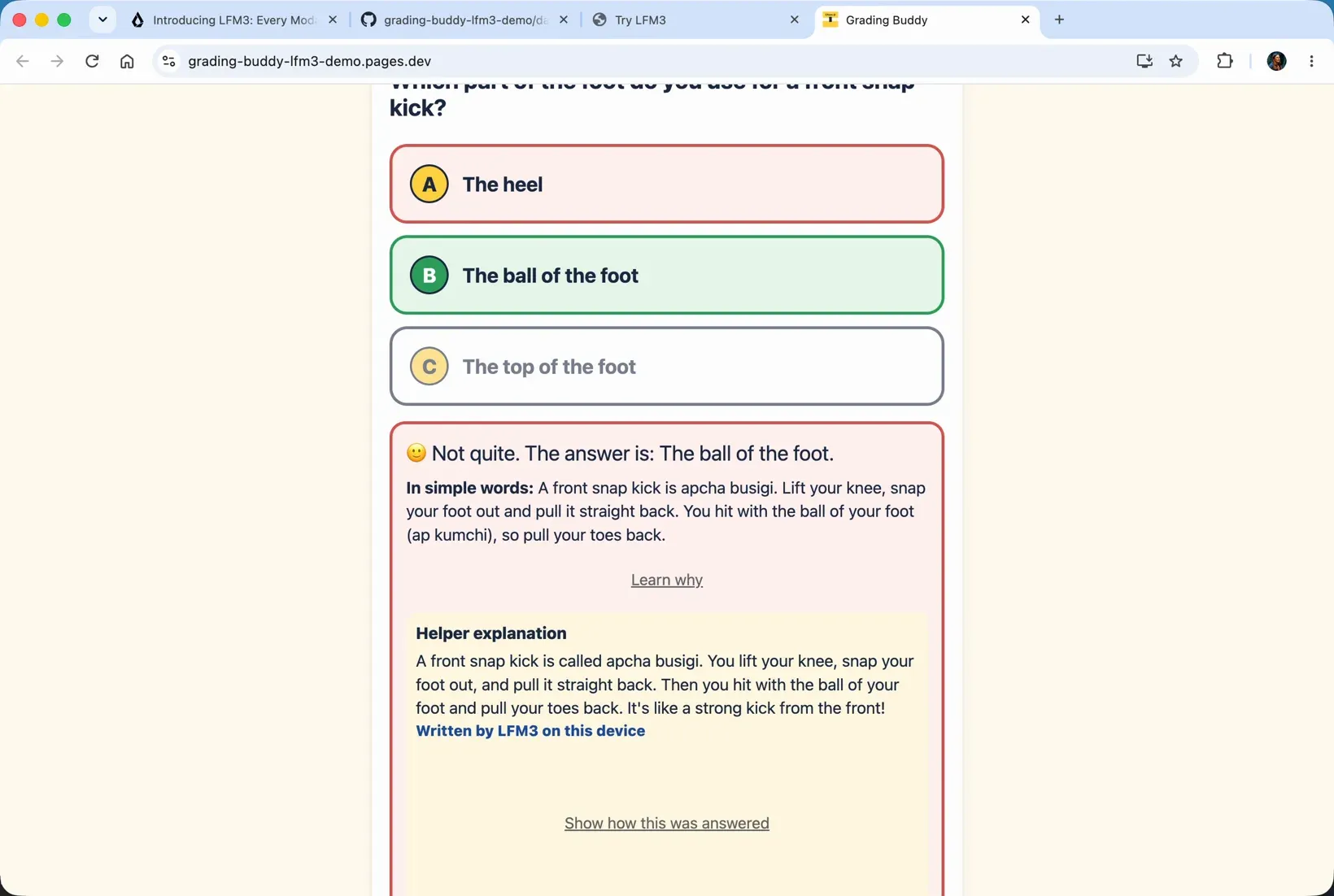
That could be really nice when you're helping children learn. The model can make your answers a little more fun and friendly. On another question, the Learn why explanation walked through the end of the pattern, steps 17, 18 and 19, and bringing the left foot back to parallel stance. That's really helpful, and much nicer than just saying yes, it's right.
Try it yourself
So that's what you can do with local models. That's Liquid AI's LFM3, and I've made the app open source, so go and check it out, download it and play around with it. The README is very simple: git clone, cd into the folder, npm ci, npm run dev, then ask those questions and build something yourself. Check out the minimal file too if you want to. Local models are very cool and worth trying out. So go build something cool, and have fun.